Why I Wanted To Make A Change In My Music Software#
In the last few months, my idea of consuming media has shifted completely. Driven by rising subscription prices, volatile Terms Of Service, and blatant misuse of user’s data, I decided to reclaim control of my media through true ownership of the movies, TV shows, music, and books that I love. In the winter of 2025 I built a self-hosted server with one main goal: erase my dependency on corporate streaming services completely.
While finding guides for hosting movies, TV shows, and books was simple, finding a well-documented solution for building a music libary proved more challenging. To replicate the paid subscription services that I had grown accustomed to while using free-and-open-source-software (FOSS), I had to cobble together a chain of individual programs built by passionate developers that wrote code out of an ideal for a more decentralized internet. The final suite of software that I settled on may not be as convenient as opening a single app and having instant access to millions of songs, but it is built entirely using FOSS and all the songs are lossless audio files that live on hardware that I own. This is the story of how I built that stack and how the journey eventually led me right back to an overlooked musical treasure trove in my own living room.
Migrating My Old Library and Cleaning Up the Tags#
As a longtime Spotify subscriber, my first priority was migrating my 3,500 liked songs to my own hardware. These songs traced my musical evolution from a 16-year-old listening to Flume, through college days filled with the Grateful Dead, to my current ‘Cowboy Grandpa’ phase. Losing access to this archive wasn’t an option. I needed a way to move this history off the platform so that I could keep it as a record of myself in perpetuity, away from Spotify where they were bound to make it increasingly expensive to ‘rent’ access to this part of my life, or even lock me out entirely if they found I violated their arbitrary rules at any point. It took some research to find my exit strategy, but I eventually came across a piece of FOSS called Spotiflac, a software built for bulk extraction from Spotify.
Spotiflac is a tool that takes a Spotify playlist URL and cross-references the tracks against platforms like Tidal and Deezer. The songs are then downloaded from those platforms in lossless format, a huge improvement over Spotify’s compressed streams. It took about 5 hours for Spotiflac to work it’s magic on my Spotify library, leaving me with a directory on my server packed with high-fidelity audio files of all the songs I’ve loved in the last 15 years.
The next challenge was sorting out the metadata. File metadata was always something I took for granted: when you’re on a streaming service all the song names, artists, albums, release years, etc. are all right there for you. Sourcing my audio files from a mish-mash of platforms left my libary with inconsistent and conflicting tags. Before my media player could make sense of my audio files, I had to santize and standardize the metadata tags.
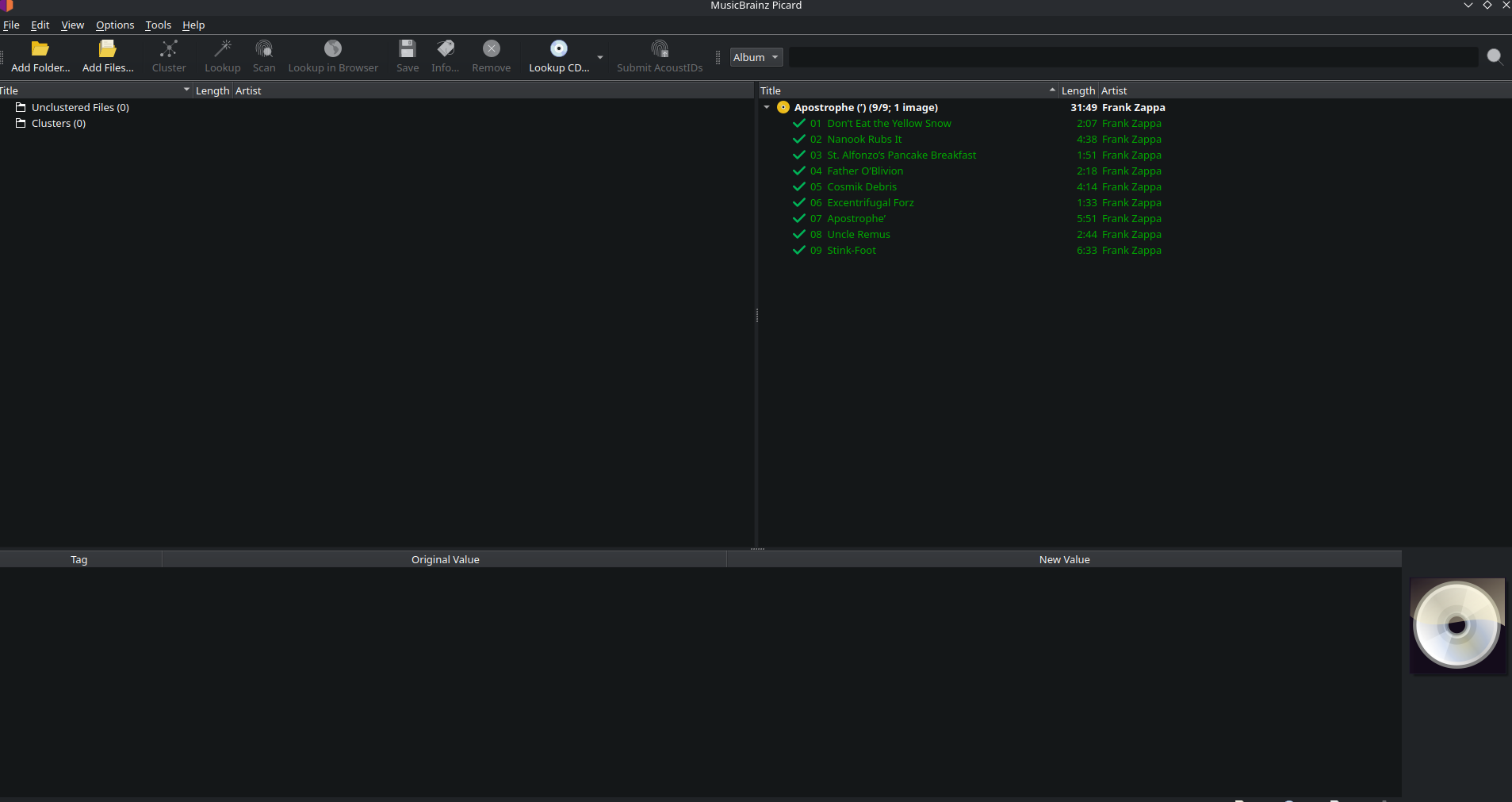
The solution to this was a service called Musicbrainz Picard. As a preeminent metadata repository, Picard was able to scan each songs in my library and rewrite the tags in a standardized format for downstream services. Picard handled about 95% of the 3,500 song automatically, and its acoustic fingerprinting tool caught almost all the rest. Combining Spotiflac and Picard, in a single afternoon I was able to transform my Spotify songs into pristine, structured library for ongoing management and growth.
With my Spotify library migrated, cleaned, and organized, I needed to work through the next big issue: ongoing growth. My old habit was to use Spotify for searching and saving music that I heard during my daily life. To replace that convenience, I set up 3-pronged system built for ongoing procurement and automated library management, with the priority on a conscious effort to support artists directly.
The first tool I set up was Lidarr, a music collection manager that can automatically or manually download new music. It can be used to search for music to add to my collection, or Lidarr can monitor artists in my library for new releases and automatically download albums to my library. Best of all is that it takes care of the metadata and track renaming on its own, completly bypassing the tedium of Picard.
Lidarr doesn’t have access to all songs, however, so I also had to build in Slskd, a modern web interface for the Soulseek P2P network. Soulseek, and Slskd, is a niche Peer to Peer network specifically for sharing high-quality audio files between users’ local libraries. While it is more manual than Lidarr and requires using Picard to clean up metadata tags afterwards, Slskd proved to be a lot simpler to start using and was an excellent replacement for the tradiitonal Spotify search bar.
Another thing I wanted to be more conscious about in my new system was reallocating the money I used to give to Spotify to give straight to the artists. I set a monthly budget of $15 to buy music directly from musicians, whether that be vinyls or CDs at live shows, or digital versions through platforms like Bandcamp. Beyond helping offset my karmic debt of my self-hosted digital hoarding, it contributed to the shift from mindlessly paying a subscription bill to intentionally curating a collection of music I really love.
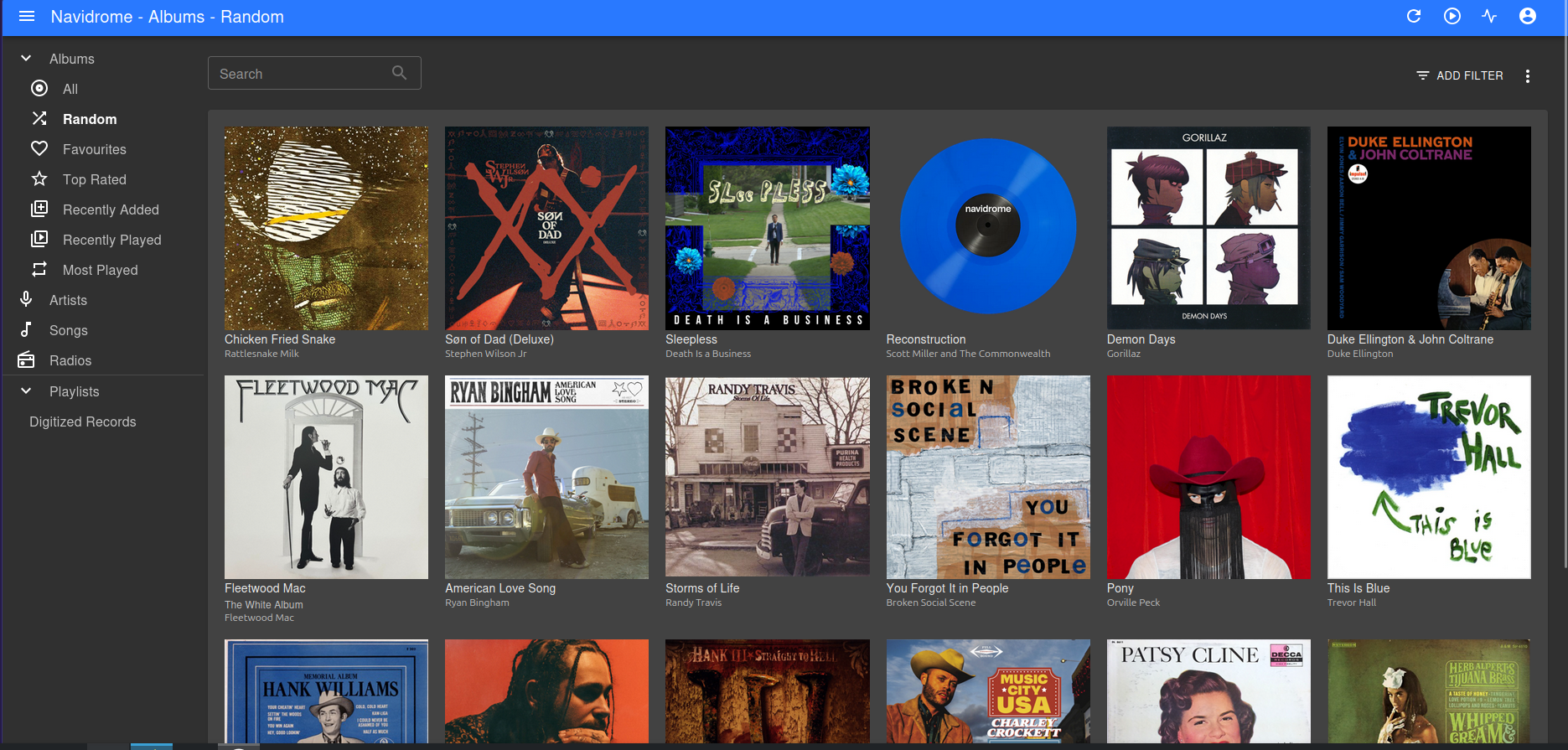
All the time I spent curating and tagging my new music library wouldn’t mean much if I couldn’t easily listen to the songs while on a dog walk, in the car, or with friends. To turn my server directory in an active streaming service, I spun up Navidrome. This is a FOSS music server that bills itself as a “Personal stream service.” With a few clicks to configure the settings, Navidrome gave me access to listen to my entire library from a clean UI that looks a lot like the Spotify that I was used to. All of my files were indexed by artist, album, or playlists that I created. There is also a feature to add links to internet radio stations, so that I can tune into any type of radio right alongside my local tracks.
One concession of Navidrome is that while it works great in a web browser, there is no Android app. Navidrome operates on the universal Subsonic API, meaning that any Subsonic client could connect to it. I have tried a few clients now, but my favorite is called Tempus.Tempus takes the UI and capabilities of Navidrome a step further by generating ‘mixes’ of similar songs based on a starting genre or song. For example, I just opened the app and it suggested a mix from the song ‘Chicken in Black’ by Johnny Cash. In the mix that it created was more Johnny Cash, Waylon Jennings, Hank Williams, Marty Robbins, and others. Features like this have helped me explore my music that I don’t listen to often and let me engage with my libary in a more intentional way.
After several weeks of troubleshooting and configuring the music pipeline, unexpected inspiration struck. One day it hit me out of nowhere that I had a literal stack of great music right in my living room, in the form of vinyl records! There was so much great music there, if only I could turn these physical records into digital files! We own an entry-level turntable that gets occasional use when we want to enjoy the novelty with friends, but I assumed that digitizing vinyl required professional-grade studio equipment. Rather than do it myself, I began cold-calling local records store to see if they offered digitization services. Five phone calls got me five ‘No’s.’ Feeling dejected, I tried one more call, this time to a local recording studio. As luck would have it, the engineer that answered gave me the exact lead that I needed.
The engineer told me that most turntables are able to output audio directly through the RCA cables running from the table. Upon hearing this, I realized that I hadn’t even really looked at the turntable I already owned; a quick investigation revealed that my turntable did indeed have RCA ports, I might have a chance to digitize these records after all! A bit of research into audio hardware showed that all I needed was one additional piece of equipment to make this happen: an analog-to-digital converter to get the turntable signal to my computer.
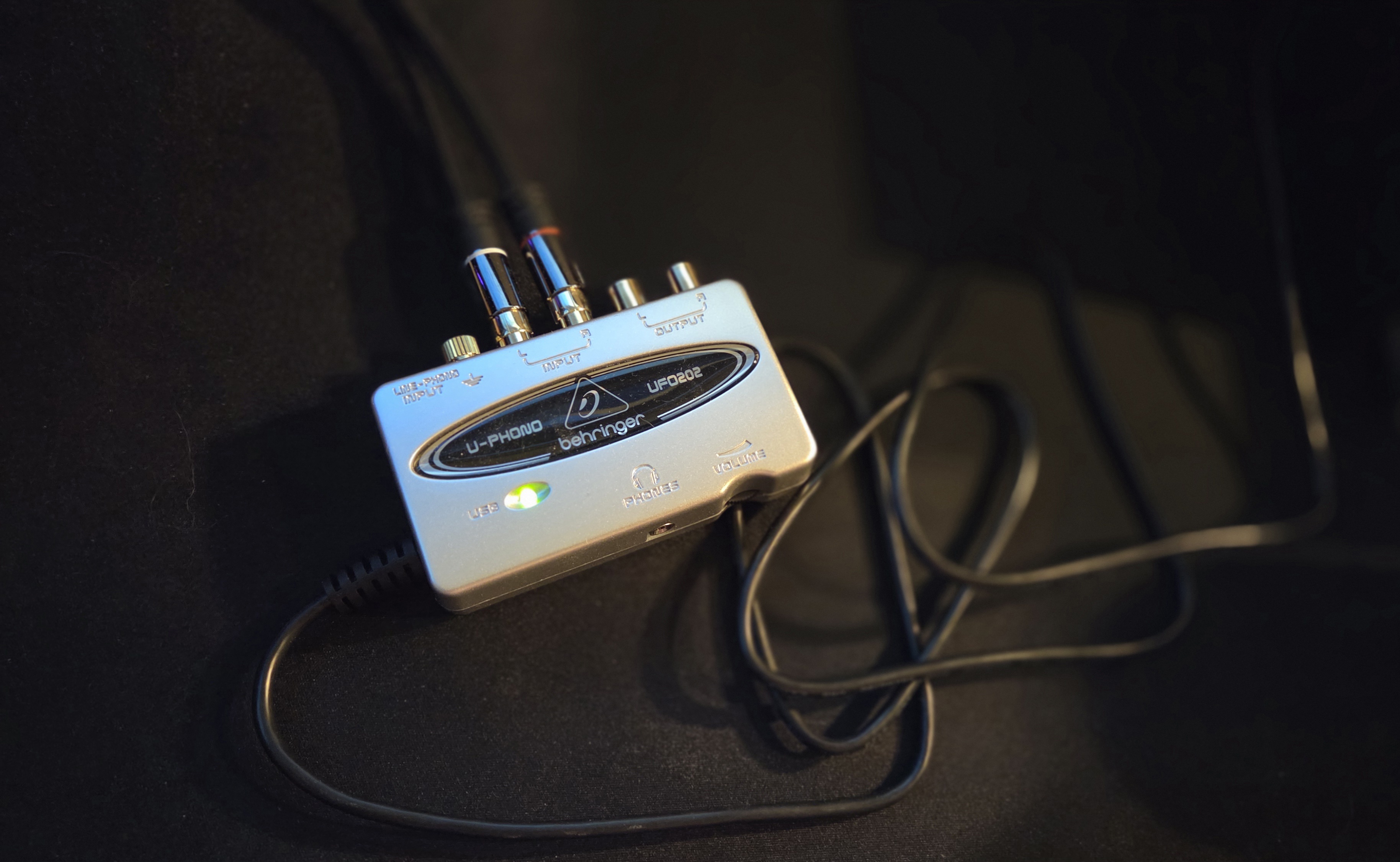
That converter turned out to be the Behringer U-phono UFO202, a $40 USB audio interface that bridges my turntable to my computer. Using the Behringer’s RCA input and USB output, my laptop would instantly be able to start recording my vinyl with the help of Audacity, another legendary piece of FOSS. Given the goldmine of music I had in vinyl format, the Behringer would pay for itself in a single afternoon of archiving. I ordered one immediately.
Ripping the vinyl ended up being more of test in patience than I was expecting. Because Audacity records the audio signal as the needle tracks the groove of the vinyl, I had to listen to each album in real time. While this becomes time consuming, the time spent was totally worth it because it gave me the opportunity to sit and actively listen to some of the great albums that I hadn’t spun in years.
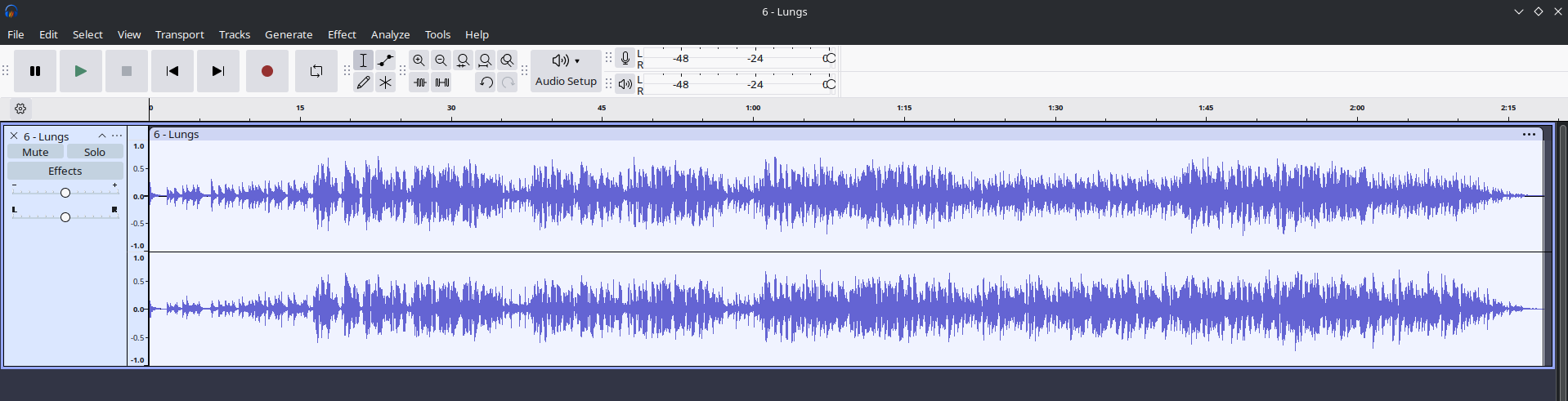
The result of recording a side of vinyl is a single, continuous 20-ish minute audio file. Using Audacity’s label tool, I divided the massive track into the individual songs on the side. At this stage, I also used several of Audacity’s built-in effects to repair the most egregious pops, cracks, and hisses from the recording. After a few minutes of processing, I was able to isolate and clean up the tracks while maintaining the charm and warmth of the original vinyl.
Once the all the tracks on the album were exported as uncompressed FLAC files, the album was run through Musicbrainz Picard for quick metadata tagging. Picard standardized the naming convention, and even automatically applied high-res album art to all the tracks so that it looks pretty in Navidrome. For a couple of very obscure albums in my collection, I also had to rely on a more manual metadata tagger called Kid3.
The final step was then to move the finalized FLAC files into my music directory, which Navidrome was able to instantly index due to the standardized tagging. Now, I am able to listen to the same exact audio of my record collection anywhere I want, at any time that I want. My favorite milestone of this project has been digitizing an old Beatles record that my dad used to listen to when he was my age. Today, I can stream those exact audio waves that he used to enjoy, hosted totally on my own hardware.
The first weeks under this self-hosted system have been both deeply rewarding and a bit challenging. It’s rewarding to no longer pay rent for access to my audio and instead source my music directly from artists or physical media I already own. Challenging because I can no longer quickly ‘save’ or stream any song I hear in my daily life. I now have to be intentional about the songs I hear. If I hear a song I like, my current method is to quickly jot the song title in my phone’s note app, then look it up on Slskd or Bandcamp later. In a way though, this has brought me closer to the music and has honed my musical taste: now that I have to take multiple steps to find that song again, I am a bit more selective.
I think I still have a lot of refinement to make in my process, and like any computer project, the possibilities for tweaking are endless. Looking ahead, I want to further streamline my music acquisition by diving more into opportunities offered through Slskd, Usenet, and P2P sharing. On the phyiscal side, I want to expand my digitization setup; local record stores offer great opportunity to purchase more vinyl and with a little more hardware I could also archive CDs or cassettes.
Building the backbone of this self-hosted music stack has been an enlightening experience, both technically and introspectively. By moving away from corporate walled gardens and embracing FOSS alternatives, I have learned about the tech behind these services and also been forced to establish a clear ethical framework for how I consume my media. Getting away from the streaming services has taken a lot of time and patience, but it has been totally worth it to know that my life’s soundtrack is now safe on hardware in my own home.